How to Block YouTube Shorts
One of the channels you subscribe to posted a YouTube short of cute dog wrestling with his Octopus toy. You open the short, you love it but an hour later you realise you did not wanted to spend this much time on YouTube. One of the ways to avoid this trap is to restrict YouTube to specific hours, Croton can help you with that. But let’s say you don’t want to block entire YouTube, you just want to block shorts, you can do just that with what I’m suggesting in this blog. You don’t need any app or service.
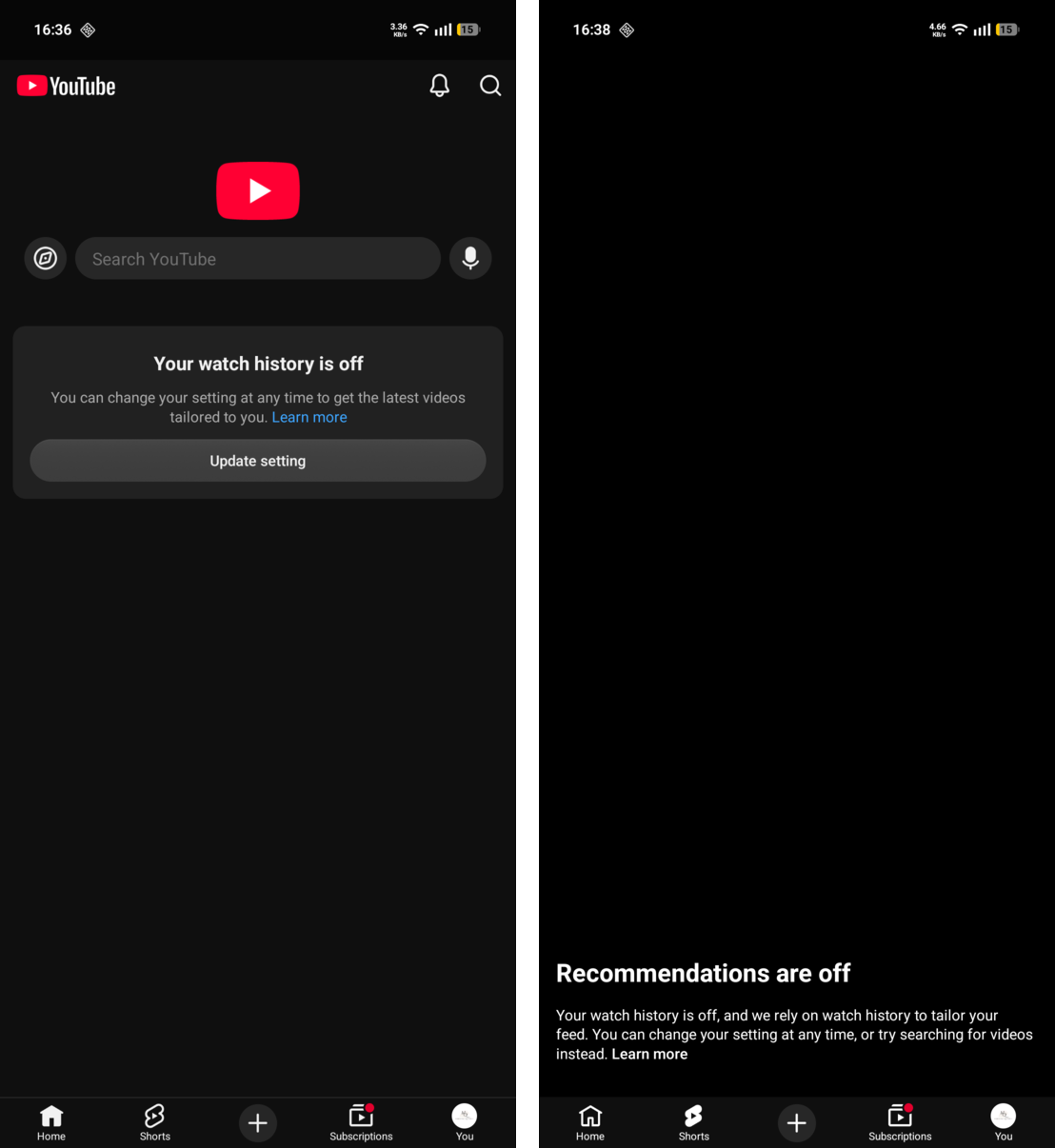
This how my YouTube looks like. No recommendations, no shorts. I can still browse content from my subscriptions. In case you need to look up a tutorial for something you can still use the search. I have been using YouTube like this for over a year now and it’s been a huge time saver.
Blocking YouTube Shorts#
Follow these steps to disable YouTube shorts and recommendations:
- Go to You -> History -> Click top right 3 dots menu
- Clear all watch history
- Pause your watch history
That’s it. You have blocked time wasting shorts, recommendations. You can still browse good parts of YouTube. Have fun!